

Choose the cast before uploading
Use the numbered reference pictures to decide who plays each part. The center close-up belongs to photo 2, even though that person is not first in the upload order. Follow the performer through camera cuts rather than changing the photo when the person moves.
Friends can send their photos separately with permission; they do not need to meet, dance or take one group selfie.
Replace a missing friend or change the whole trio
To cast the entire trio, fill all three slots. To change a supporting role, use its corresponding slot; photo 1 remains required. Leaving an optional slot empty keeps that reference performer.
This is a three-role reference. There is no fourth-person position or add-person button in this prepared version. Choose which three people should appear before checkout.
Photo requirements for a recognizable group
Use one clearly visible person per image, with an unobstructed face, visible hairstyle and the outfit you want. A full-body image gives the model information about trousers, shoes and body proportions.
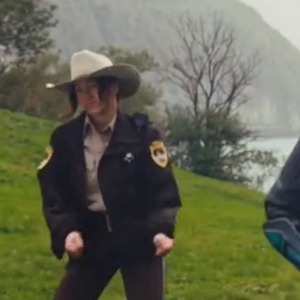
Separate backgrounds are fine: the prepared clip supplies the lakeside hillside scene. Exact faces, hair, clothes and motion can still vary.
What will the group receive?
One 14-second, 720p, landscape 16:9 MP4 with the selected reference audio. Three role photos do not create three separate video charges. Watch the entire AI-character effect preview before purchasing.
Last checked .