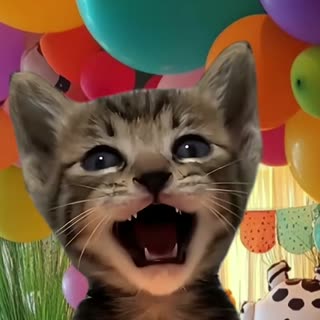
How does it work, step by step?
Choose the photos for your selected template, complete checkout, then download the finished MP4 after generation; the steps below explain what to prepare.
- Watch the reference. Play the clip with sound to hear the greeting and see how the pet moves.
- Choose your pet. Choose a sharp, front-facing photo of one pet with both eyes, ears and muzzle visible. The cake and balloons come from the reference.
- Download the greeting. Pay once or use existing credits, then download the completed MP4 from your history to share with the birthday guest.
A birthday greeting from the family pet
In the reference clip posted by @templates197, a tabby balances a cake marked “Happy Birthday” beneath colorful balloons. The candles stay lit as the cat tilts its head and mouths the birthday song toward the camera.
Use a photo of the birthday guest’s pet to put a familiar face behind the cake. The clip keeps the original party setting and singing rhythm.
Where can you check the original videos and sources?
The sources linked below document the selected reference clips and their context; template examples show reference footage unless explicitly labeled as generated results.
Last checked .